Ever tried snapping a cute pet pic or a sunset, only to get a fuzzy mess? Ugh, blurry photos are the worst! Your phone camera should capture memories, not ruin them. Blurry shots happen for lots of reasons—like a dirty lens, shaky hands, or glitchy settings. Don’t worry, though! This guide’s got 11 easy fixes to make your photos crystal clear, whether you’re using an iPhone or Android. I’ve been there, squinting at blurry selfies, so let’s dive in and save your camera!
Table of Contents
Why Your Camera’s Acting Up
Before we fix the blur, let’s figure out why it’s happening. Here are the usual suspects:
- Dirty Lens or Screen: Fingerprints or dust make photos hazy.
- Focus Trouble: The camera can’t lock onto what you’re shooting.
- Wrong Settings: Messed-up options like HDR or ISO cause issues.
- App Glitches: The camera app might be buggy or outdated.
- Broken Parts: A scratched lens or loose bits inside the phone.
- Phone Case Problems: Covers can block the lens or flash.
- Bad Conditions: Low light or shaky hands mess things up.
Quick Checks to Start With
Before you try fancy fixes, do these simple steps:
- Restart your phone. It’s like a quick nap for your device!
- Check if you dropped your phone recently. Ouch, that can hurt the camera.
- Make sure your phone case isn’t covering the lens.
- Update your phone or camera app. New updates fix bugs.
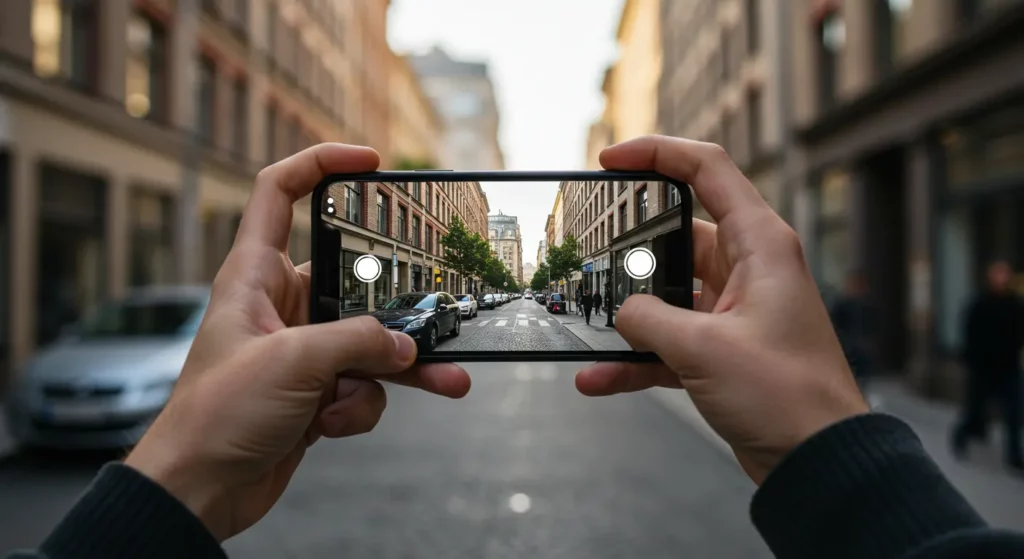
11 Easy Fixes for a Blurry Camera
1. Clean the Lens and Screen
A smudged lens is a sneaky blur-maker. I once thought my camera was broken, but it was just a fingerprint from grabbing my phone after eating chips! Grab a soft microfiber cloth—like the kind for glasses—and gently wipe the lens and screen. Don’t use your shirt; it might scratch the lens. Check the front camera too, especially if selfies look foggy.
2. Tap to Focus Like a Pro
Your camera’s autofocus isn’t perfect. Sometimes it gets confused, especially in dim light. Tap the screen where you want the focus—like your dog’s cute face. This tells the camera exactly what to sharpen. If it’s still blurry, try tapping different spots. I’ve saved tons of group shots by tapping each person’s face to get everyone clear.
3. Fix Camera Settings
Messy settings can ruin photos. Go to your camera app and reset to default if things look weird. You can also try lowering ISO for bright scenes or turning off HDR if colors look off. On Samsung phones, check “Intelligent Optimisation” and set it to Medium. I learned this the hard way when my photos looked like blurry paintings until I tweaked the settings.
4. Ditch the Phone Case
Some phone cases are camera bullies, blocking the lens or flash. Take off your case and snap a test photo. If it’s clearer, your case is the problem. I had a sparkly case once that looked cool but made my photos shadowy because it covered half the lens. Pick a case that leaves the camera free.
5. Try a New Camera App
Your phone’s camera app might be glitching. Download a third-party app like Open Camera or Camera MX. These apps let you control focus and lighting better. They’re easy to set up—just grab them from the app store. I switched to Open Camera when my default app kept freezing, and my photos got way sharper.
6. Update or Restart the App
A buggy app can cause blur. Go to your phone’s settings and clear the camera app’s cache. Check for updates in the app store, too. If that doesn’t work, close the app completely and reopen it. Restarting my phone fixed a blurry camera issue once when I was trying to photograph a concert.
7. Switch Camera Modes or Lenses
Your phone might have multiple cameras, like ultra-wide or telephoto. If the main camera’s blurry, switch to another lens in the app. Try different modes, like Night or Portrait, to see if they’re clearer. This trick helped me when my iPhone’s main camera acted up, but the wide lens worked fine.
8. Handle Tricky Conditions
Shaky hands or bad lighting can blur photos. Hold your phone steady or use burst mode to take multiple shots. Better light helps the camera focus, so move closer to a lamp or window. In humid weather, wipe the lens to clear any fog. I learned this during a rainy hike when my lens kept steaming up!
9. Check for Dust or Damage
Dust inside the lens or a scratched camera can cause blur. Look closely at the lens for scratches. If you dropped your phone, the camera parts might be loose. This needs a pro fix, so don’t try opening your phone yourself. I once had to visit a repair shop after my phone fell, and they found tiny dust specks inside.
10. Test for Bigger Problems
If only one app (like Zoom) shows blurry photos, the app’s the issue, not the camera. Take test shots with different apps to compare. If every photo’s blurry, your phone might need a deeper check. Use your phone’s diagnostic tools if it has them, like Samsung’s built-in tests.
11. Last-Resort Fixes
Still blurry? Try resetting all settings (back up your data first!). A factory reset is a big step, so only do it if nothing else works. If the blur won’t quit, contact your phone’s maker or a repair shop. They can check for hardware issues like a broken lens.
Tips for Android and iPhone Users
Android (Samsung, Realme, Pixel)
- Samsung: Go to Camera Settings, find Intelligent Optimisation, and switch to Medium. This fixed blurry shots for tons of users.
- Realme: Wipe the lens and reset camera settings for a quick fix.
- Pixel: Check for lens flare issues in bright light and adjust angles.
iPhone (13, 14, 16)
- Clean the lens gently—iPhone coatings are delicate.
- Test focus by tapping the screen or using the flashlight in Control Center.
- Update to the latest iOS for bug fixes.
When to Get Pro Help
If none of these work, your camera might be damaged. Look for authorized repair shops, like Carlcare for Tecno phones or Apple Support for iPhones. Repairs can cost less than a new phone, but check prices first. Don’t try DIY fixes—you might make it worse!
Keep Photos Clear Going Forward
To avoid blurry photos:
- Clean your lens weekly with a microfiber cloth.
- Pick phone cases that don’t block the camera.
- Update your phone and apps regularly.
- Practice holding your phone steady for sharp shots.
FAQs ( Frequently Asked Questions )
Why’s my camera blurry out of nowhere?
Could be a dirty lens, glitchy app, or recent drop.
Can I fix a blurry photo?
Apps like Photoshop can help, but prevention’s better.
How do I fix a foggy lens?
Wipe it gently and keep your phone dry.
Why’s my front camera blurry?
Check for smudges or test with another app.
Is my lens broken?
If cleaning and settings don’t help, see a pro.
Conclusion: Snap Sharp Photos Today!
Blurry cameras are annoying, but you’ve got 11 fixes to try! Start with cleaning the lens and tapping to focus—those solve most problems. Play with settings, ditch bad cases, and update your apps for sharper shots. Your memories deserve clear photos, so don’t let blur win. Try these tips and share your wins in the comments—I’d love to hear how you fixed your camera!